


How to add a CAA record on Namecheap
Step-by-step instructions for adding a CAA record on Namecheap
CAA records are DNS records that say which certificate authorities may and may not issue SSL certificates for your websites. They are optional, but we suggest adding one for your site today.
Here is how to add a CAA record on Namecheap.
How to add a CAA record on Namecheap
- Sign in to your Namecheap account and choose Domain List on the left.
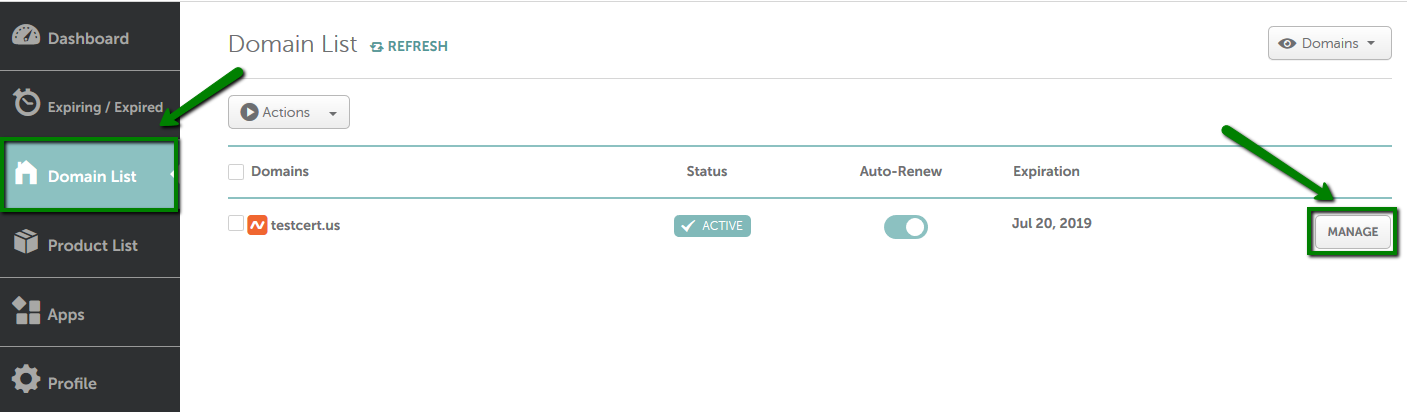
- Click Manage.

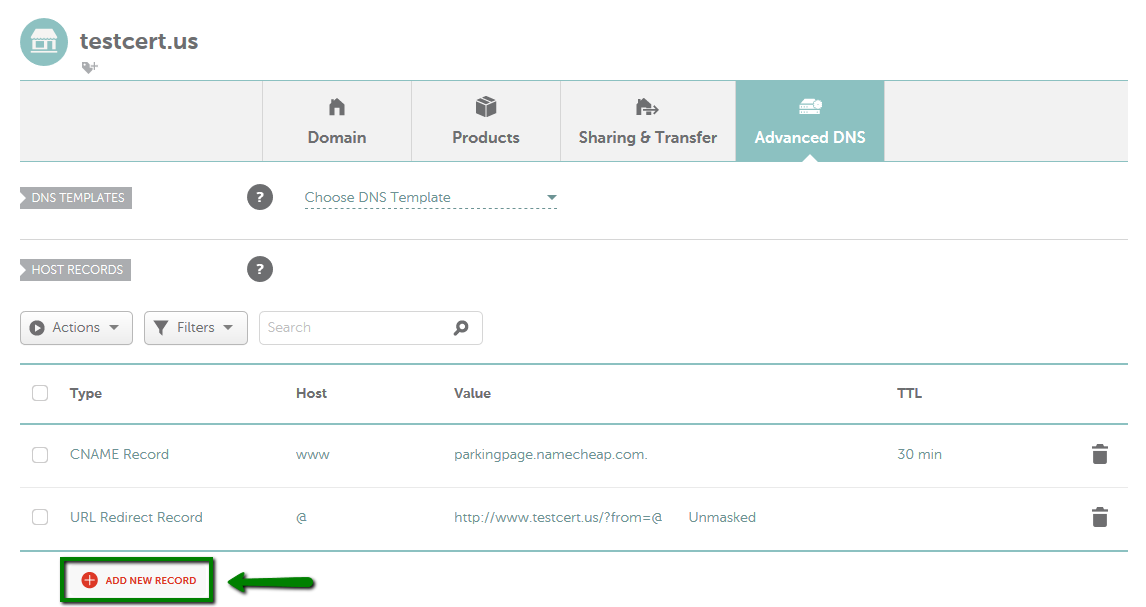
- Under Advanced DNS, click Add New Record.
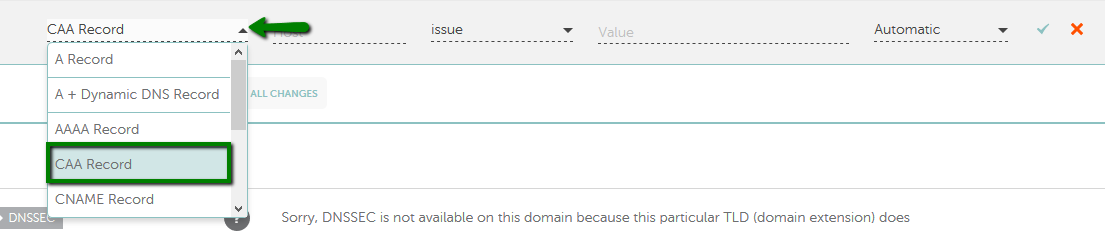
- Select CAA Record under Type and fill in the fields: Host as
@for your domain, Flags as0, Tag asissue(orissuewildif you also want to authorise wildcard certificates), and Value as the certificate authority’s domain, for exampledigicert.com.
- Click Save All Changes. The update should take about 30 minutes to take effect.


