


Combining multiple intermediate certificates
Combining multiple intermediate certificates: because of limitations in certain browsers and mobile devices, certificate authorities often do not ship their intermediate certificates, for reasons including size limits. Without those intermediates installed on a device or exchanged with the end user during the SSL handshake, the connection on that device can be treated as untrusted.
To avoid that, webmasters are advised to install the intermediate certificates the certificate authority provides during SSL installation, on whichever servers are meant to handle the connections.
Sounds simple enough. There is a catch: certificate authorities often require several intermediates to be installed, while the server may only support a single intermediate entry. To get round that, the webmaster has to combine the intermediates into one ".CRT" file, usually called the CA bundle .
What you will need
1. Your certificate files
Depending on the certificate authority, the intermediates you receive may differ from the ones below, but the approach should be much the same. The example is a Comodo purchase.
Inside the ".zip" the certificate authority sends you, you will find every file needed to install the SSL certificate except the private key. In this case:
- AddTrustExternalCARoot.crt
- COMODORSAAddTrustCA.crt
- COMODORSADomainValidaitonSecureServerCA.crt
- www.domain.com.crt

The ones in bold are the intermediate certificates we need to combine into a single ".crt" file.
Instructions
1. Open the first intermediate file
Right-click COMODORSADomainValidaitonSecureServerCA.crt and open it in a plain text editor such as Notepad, so your editor looks something like the screenshot below.
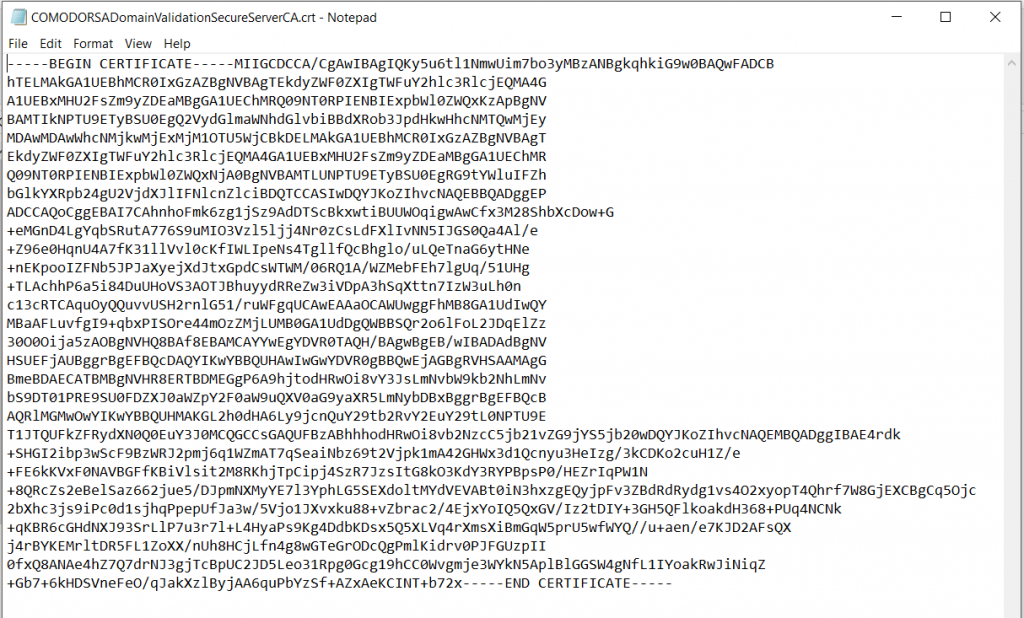
At the end of the document, add a line break by pressing Enter.
2. Open the second intermediate file and copy it across
Open ComodoRSAAddTrustCA.crt the same way. Copy everything in it and paste it at the end of the first intermediate , so it looks like the screenshot below. (Hint: you will know you got it right if you can see an END CERTIFICATE immediately followed by a BEGIN CERTIFICATE.)
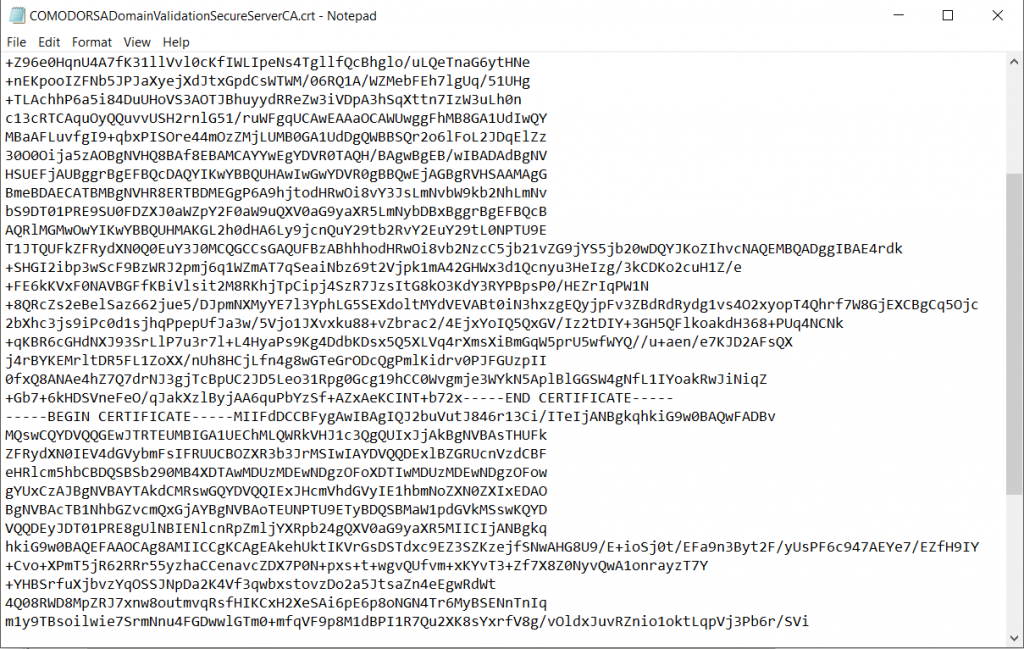
3. Save it as one file
If everything looks like the example above, save the file under a name you will recognise later, such as www.domain.com.CABundle.crt, so it is easy to find during installation.
With that done, you should have everything you need to install the SSL certificate you bought. If you have questions or get stuck at any point in the process, get in touch.


